
 Tweet
Tweet
10586.112 stable คืนนี้
-
-
I5 6600k+ram16gb 3200 จะรอดไหมงานนี้Comment
-
Memory Compression in Windows 10
Posted in Windows 10 by Steve Sinchak
Windows 10 includes a new memory compression feature designed to improve the performance of applications.
Typically when the physical memory on a PC is consumed,
the operating system kicks applications out of memory into a file on your hard drive called the paging file.
The location the paging file is stored has much lower performance than physical memory so there is a significant penalty to this behavior.
Windows 10 takes a different approach and leverages compression, similar to how we compress files, to keep more applications in memory.
Instead of kicking applications out to the slow paging file, a special process will compress the objects in memory so they take up less space.
Windows 10 treats traditional apps a little different than new Windows Runtime (Metro) apps.
If you look in Task Manager you will see a process called System that seems to grow over time.
Don't worry, you are not witnessing a memory leak in progress, it is memory compression at work.
This is where all traditional Windows Apps go when their memory is compressed.
Microsoft built memory compression into the WIndows Runtime so when their memory is compressed, it shows up with the correct process.
If you would like to see memory compression in action, just open up Task Manager and hit the More Details button.
Then, just look for the System item. The latest Insider builds of Windows 10 call this System and compressed memory to make it easier to identify.
memorycompression2.jpg
memoryWin10_Thedivision.jpg
 Last edited by AKK_K; 22 Feb 2016, 22:49:57.
Comment
-
ResMon.png
Hard Faults---> Also called Page Faults, this sounds bad, but it actually means that the application tried to access something in RAM that had been paged out to the paging file.
If you are seeing a lot of hard faults, you need to think about upgrading your RAM.
Commit ---> This column lists out the amount of space the application has needed in the paging file. It?s worth noting that applications will always use and reserve a lot of space here, even in ideal scenarios.
Working Set ---> This is the actual amount of memory that the process is using in RAM. You?ll notice that this column is the same as Shareable + Private.
Shareable ---> This is the amount of the working set that is or can be shared with other processes. This is also the part that can be given up if there isn?t enough RAM.
Private ---> This is the amount of RAM that your application is using that can?t be used by other processes.Comment
-
Fallout 4 1.4 Update
The 1.4 update for Fallout 4 is now in beta on Steam. To access the beta (and leave feedback), please see the instructions at the bottom of the post.
Along with support for upcoming add-on content and additional gameplay fixes, the 1.4 update includes several new features that will let you add even more character to your settlements.
The Fallout 4 1.4 update will be available on PC, Xbox One and PlayStation 4 once it?s out of beta. We?ll have more info soon.
New Features
Support for add-ons
Additional art customization added to Workshop:
Super Mutant clutter including meat totems, meat bags and meat cart
Raider clutter including raider poles, cages and tents
Abstract and portrait paintings
Variety of new signs
More metal and wood doors variants
Fixes
General stability and performance improvements
During "Getting a Clue" quest, Kellogg's desk will remain a working container
During "Rocket's Red Glare", resolved issue where companions could not be dismissed after completing the quest
Fixed an issue with "Kremvh's Tooth" quest item not spawning properly
Settlements under attack will now display an updated message with the results of the attack if player does not respond
Fixed an issue with screen effects not clearing away properly after using a scope
Fixed an issue with trying to sprint while in third person with a minigun equipped
Rank 4 of Demolition Expert perk now properly increases the area effect of explosives
The Scrounger perk now includes additional common ammo types
Fixed an issue where Calvin Whitaker would disappear in Vault 81
Fixed an issue where Ninja and Sandman perks combined would apply the incorrect damage bonus
Fixed an issue where Rank 3 of Grim Reaper's Sprint did not fill critical meter properly
Fixed an issue with key cards not spawning correctly in Vault 75
Fixed an issue where enemies would stop spawning during "Airship Down"
Being in first person while wearing power armor and quickly switching weapons will no longer cause the Pip-Boy to be stuck
Fixed an issue with the autosave counter getting incorrectly reset
Fixed issue that would cause the Pip-Boy menu to turn invisible while swimming
Fixed an issue where scrapping larger quantities of a single item would inadvertently scrap a legendary item
Fixed issue where exiting workbenches would cause third person to stop working properly
The Scribe can now be assigned consecutive settlements properly
Fixed issue with duplicating scraps shipments
Fixed issue with vendors not properly exchanging caps after several consecutive transactions in a row
Fixed issue with the quicksave and autosave message persisting through loading screens
Fixed an issue where updating to the latest patch would cause Options settings to reset back to default (Xbox One)
Fixed an issue with loading save with a placed object in water, not properly floating
How to access the 1.4 update beta
Log into Steam
Right Click on Fallout 4 in your Library
Select Settings (ของผมเป็น properties)
Select Betas
A drop down menu will appear. Select Beta Update
Select OK
Wait a few minutes and Fallout 4 should update
When done, Fallout 4 should appear as Fallout 4 [beta] in your Library
Start playing with the Beta update and provide feedback on the official Bethesda forums
Date Created
February 22, 2016
Last Updated
February 22, 2016
Bethesda Game Studios
By Bethesda Game Studios
@BethesdaStudios
Fallout 4
Developer: Bethesda Game Studios
Release: November 10, 2015
Players: 1
Genre: Post-Nuclear Role Playing Game
Platforms: Xbox One, PS4, PC
Fallout 4
Rated 18
PEGI 18
BUY NOWLast edited by AKK_K; 23 Feb 2016, 23:14:41.Comment
-
WIN10:3WADOC 1 High,I5 4590+GTX960 2GB (Single)
call of duty black op 3
 Last edited by AKK_K; 23 Feb 2016, 23:19:50.
Comment
-

Comment
-

เร๊วขึ้นเยอะ ภาษาไทย+HD greenComment
-
เปิด com มาเจออัพเดท 14271 อัพกันยังComment
-
ของผมยังเป็นBuild 10586.104Comment
-
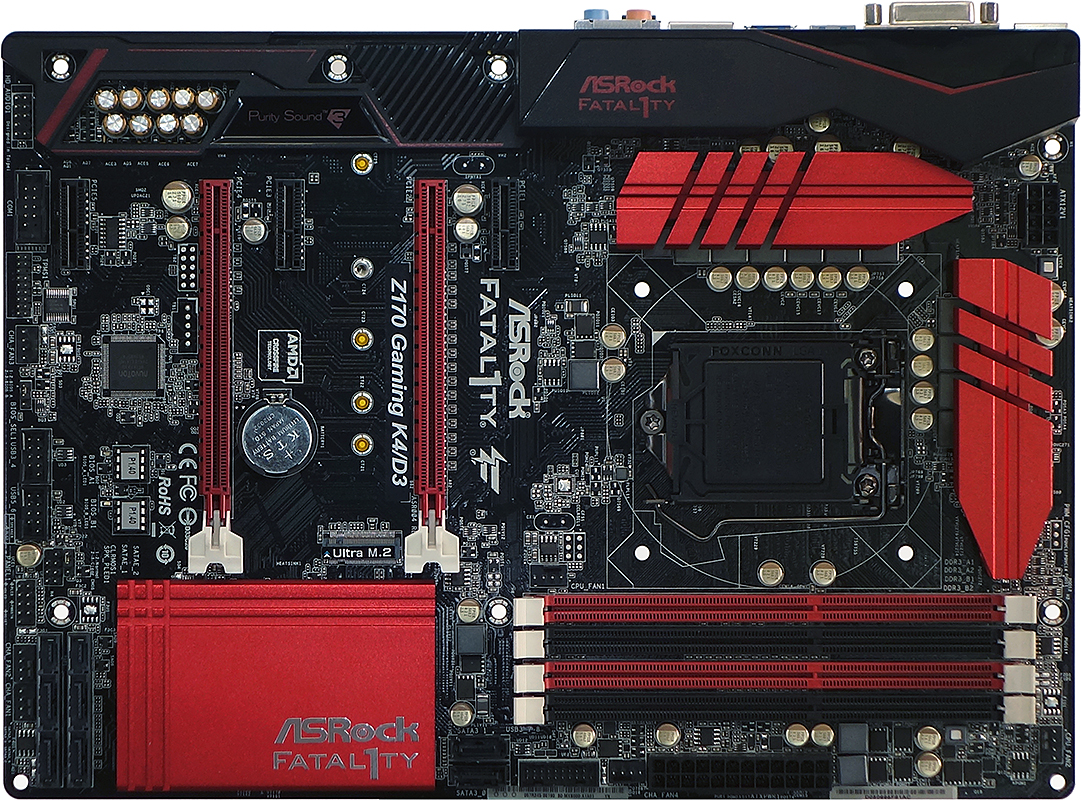
Settling The DDR4 Vs DDR3 Debate: ASRock Fatal1ty Z170 Gaming K4/D3 ATX Motherboard Review
By Thomas SoderstromFEBRUARY 24, 2016 6:00 AM
Comment
-
มีข้อสงสัยอยู่3ข้อ
1.มันจะเริ่มเห็นผลก็ต่อเมื่อใส่แรมเกิน8GB ไหม
2.มันใช้ได้กับIntel HD Graphic ไหม เผื่อจะหวังผลให้มันแรงขึ้นได้บ้างกับMacbook
3.driver Nvidia ล่าสุดมันปิดการ Share รึเปล่าครับ ถ้าปิดมีเวอร์ชั่นไหนบ้างที่ไม่ปิดComment
-
Originally posted by xanzus View Post
เทียบจากที่เคยเล่น Rise of Tomb กับการ์ด GTX 970 จากหลายๆ เครื่องนะครับ
1. แรม 8GB ปรับ Very high เล่นไม่ได้เลย แป็บเดียวฟ้อง low mem พอใส่ 16GB เล่นผ่านฉลุย
2. ถ้าเป็น win10 ก็แชร์ได้
3. ใข้ตัวล่าสุด 361.91 ก็ปกติดี แรมการ์ดจอกินหมดทั้ง 4GB แรมเครื่องกินไป 10GB
ตอนโหลดเกมส์ก็จะเห็นเลย ว่าพอแรมการ์ดจอเต็ม มันจะกินแรมเครื่องแทนครับLast edited by osxp; 28 Feb 2016, 15:28:44.Comment
-
-
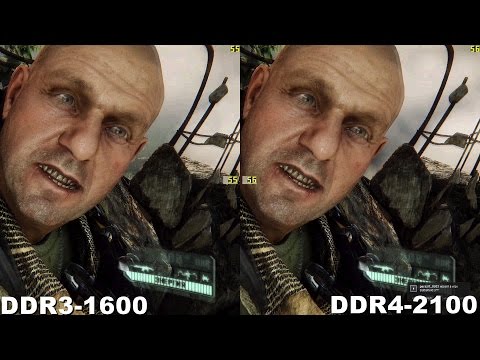
DDR3 vs DDR4 in Crysis3 (390x+i7-6700)
Comment




Comment