-
Last edited by AKK_K; 3 Feb 2016, 09:25:03. -
-
-
DDR4 ไม่ใช่คำตอบสั่้นๆ ของประสิทธิภาพ
ที่ถูกต้อง คือ DDR4 ที่ clock สูงกว่า DDR3 จึงมีประสิทธิภาพโดยรวมสูงกว่า
และ DDR4 2133 โดยรวมก็น่าจะช้ากว่า DDR3 2400

SkyBroHas_D4D3_04.jpg
SkyBroHas_D4D3_05.jpgLast edited by AKK_K; 3 Feb 2016, 09:59:01.Comment
-
win 10 ตอนนี้ Build ไหนละครับComment
-
-
Announcing Windows 10 Insider Preview Build 14257
By Gabe Aul / Corporate Vice President, Engineering Systems Team
SHARE TWEET SHARE SKYPE
Hi everyone,
Today, we are releasing Build 14257 Windows Insiders in the Fast ring.
As I mentioned last week, we?re at the beginning of a new development cycle for our next feature update to Windows 10.
Teams are still early in their new feature work and changes in this build are mostly about laying the foundation for those features to start coming into builds.
So you won?t see many visible changes quite yet. Also, the increased pace of the Fast ring
(You?ll note that this build is only 6 revs newer than the last build we sent to the Fast ring)
means that there will be fewer big changes between builds as opposed to this time last year when builds were about 30 days apart.
There is a ton of coding work going on, but I want to set your expectations on how it will show up for you at our increased Fast ring pace.
We are seeing lots of bug fixes coming in from teams, including some which were reported by Insiders:
The issue of periodic app crashes or other memory related app errors due to a memory management change has been resolved.
If you were having issues launching the Git client for Windows, you should now be able to launch it in this build.
The Connect button now shows up again in Action Center.
F12 Developer Tools will now load correctly Microsoft Edge.
We fixed an issue where suggested apps were being shown on the Start menu
even though ?Occasionally show suggestions in Start? was turned off under Settings > Personalization > Start.
We fixed an issue where if you try to change the Lock screen picture
with ?Get fun facts, tips, tricks and more on your lock screen? turned on it will revert back to the default.
We fixed an issue where the positions of desktop icons get jumbled up after switching DPI settings from 100% to 150% or 175%.
We also fixed an issue where pasting files into a new .zip file (compressed folder) in File Explorer by either right-clicking or Control-V would not work.
You should be able to paste tiles into new .zip files just fine now.
Known issues:
If you choose ?Reset This PC? under Settings > Update & Security > Recovery ? your PC will be in an unusable state.
There is no workaround if your PC gets into this state and you will need to reinstall Windows.
This issue will be fixed in the next build. You can still rollback to the previous build if for some reason this build doesn?t work out for you.
This bug also existed in Build 14251 so please avoid resetting your PC on these builds.
You might see a WSClient.dll error dialog after logging in. We?re working on a fix for this but as a workaround,
you can run the following in Command Prompt with administrative rights: schtasks /delete /TN ?\Microsoft\Windows\WS\WSRefreshBannedAppsListTask? /F.
This issue will be fixed in the next build.
The front-facing camera is unusable on PCs with Intel RealSense resulting in being unable to use Windows Hello or any other apps that utilize the front-facing camera.
After logging in to your PC, you may hit a UI issue in which Airplane Mode will incorrectly show as ?on? even though your PC?s Wi-Fi is powered on.
This is due to a timing issue between how the UI communicates and waits for the underlying platform to respond.
The UI for Airplane Mode essentially does not wait long enough for the device?s physical radios to power on before reporting the current state.
You can toggle the Airplane Mode on and off to get Airplane Mode back to showing the correct state.
As always ? thank you for being Windows Insiders and make sure to send us feedback on any issues you run into with this build in the Windows Feedback app.
We know a lot of Windows Insiders will be celebrating the Lunar New Year this coming weekend. Building off our Ninja Cat heritage, we wanted to provide a fun new set of images to celebrate the Year of the Monkey ? you can click here to download. Happy Year of the Monkey from the Windows Insider Program!
Windows_Insider_Ninjamonkey-800x1280
Thanks,
g
G.SkillRibjawsV_2x8.jpgLast edited by AKK_K; 4 Feb 2016, 08:16:18.Comment
-
อัฟวินโดว์ แพทใหม่ ดูหนัง lav ได้แล้วๆๆๆๆๆๆๆๆๆๆๆๆๆ 55555555555+
แต่มีปัญหาอื่นตามมาคือ กับไดวเวอร์ AMD ตัวล่าสุดนี่ ปรับออฟชั่นดูหนังแล้วไม่เปลี่ยนแปลงเลย ไม่รุ้ว่าเป็นที่ วินโดว์แพทใหม่ หรือว่า ตัวไดวเวอรการ์ดจอล่าสุด
ไว้ว่างๆ เดี่ยวไปงมอีกที ...Comment
-
win 10 ตอนนี้มันยังไม่ใช่ตัวเต็ม ใช่ปะครับ พอดีจะซื้ออยู่รอมร่อแล้ว สงสัยตรงที่ว่ามันยังไม่สมบูรณ์ทำไมถึงทำออกมาขายแล้วอะครับComment
-
Windows 10 ตัวเต็ม คือ Windows 10 Build 10586.79Originally posted by momokiko View Post
ส่วนตอนนี้ เป็นประมาณ Windows 10.1 Insider Preview Build 14257 กำหนดเสร็จกลางปี 16Comment
-
อ๋อ คือถ้าตอนนี้ผมโหลดจากในเว็บ MS คือ Windows 10 Build 10586.79 ตัวนี้ใช่มั้ยครับOriginally posted by AKK_K View Post
ส่วน Windows 10.1 นี่คือพวก Insider อาสาสมัครทดลองระบบ คนทั่วไปจะยังไม่มีโอกาสลองใช้ แต่พอสมบูรณืแล้วพวก user ปกติก็ถึงจะอัพขึ้นมาได้ แบบนี้หรือเปล่าครับComment
-
น่าจะเป็นอย่างนั้นOriginally posted by momokiko View Post
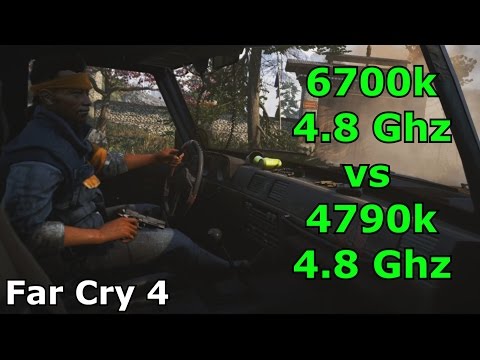
Published on Jan 25, 2016
6700k@4.8 vs 4790k@4.8 Far Cry 4 ( both CPU?s @ 4.8 Ghz + Hyperthreading disabled )
CPU : i7 6700k @ 4.8 Ghz @ 1.312v for 24/7
GPU : EVGA GTX 980 @ 1574/2000 @ 1.275V for 24/7
MB : ASRock Z170 OC Formula
RAM : G.Skill Ripjaws V 16 Gig Quadchannel DDR4 Kit @ 3200/9-11-11-31
SSD : Samsung 840 Pro 256 Gig SSD
PSU : Corsair RM1000
CASE : Benchtable
SCREEN : Asus VG236H 120 Hz
Devils Canyon ( 4790k ) System :
- i7 4790k @ 4.8 Ghz @ 1.335V for 24/7
- EVGA GTX 980 @ 1574/2000 @ 1.275V for 24/7
- ASRock Z97 OC Formula
- G.Skill TridentX 16 Gig Kit ( 4x4 Dimms ) 2400/9-11-11-31
- Samsung 840 Pro 256 Gig SSD
- Corsair RM1000
- Fractal ARC Midi R2
- Asus VG236H 120 Hz
Comment
-
จากคลิปกล่องบน 6700K VS 4790K แรงต่างกันเท่าไรครับ
ถ้าบอกว่า 4-10 % ผมจะบอกว่าไม่ใช่ครับ
กรณีนี้ 6700K แรงกว่า 4790K ~ 25% Up ครับ
ช่วยๆกันดูหน่อย ว่าใช่ไหมComment
-
เจน6 4.8GHz เจน4 ต้องลากไป5.2GHz ครับ
เพราะผมเล่นi5-6500 @4.4GHz พลังคอร์พอกับi7-4790K @4.8GHz ครับLast edited by MooNoiOCZ; 4 Feb 2016, 19:02:59.Comment
-
DDR4 Kit @ 3200/9-11-11-31
CL ต่ำมาก
Comment

 Tweet
Tweet




Comment