Announcement

Collapse
No announcement yet.

reset bios notebook ไม่ได้ครับ

Collapse
X
 
  • Filter
  • Time
  • Show
Clear All
new posts

  • reset bios notebook ไม่ได้ครับ

    ซื้อ notebook มือสองมา ถูกล็อค พาส bios
    เบื้องต้น
    -ใส่hiren cd ตั้งbootเปน1st ไม่ได้
    -ใช้hiren flashdrive ตั้งbootเปน1st ไม่ได้
    -f12 เลือกboot อุปกรณ์ไม่ได้
    -f8 เข้า debuging ไม่ได้
    -เข้า dos mode เข้าไปพิมพ์ DEBUG ไม่ได้

    อยากทราบว่าจะมีทางไหนอีกไหมครับ โดยที่ไม่ต้องถอดเครื่อง

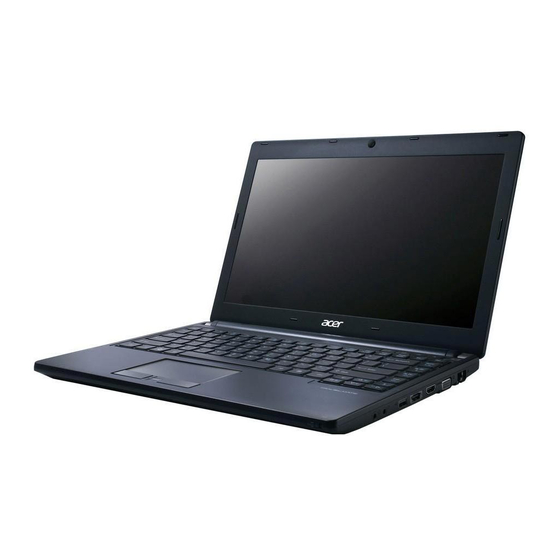
    ตัวเครื่องเปน acer travelmate p633

  • #2
    อ๊าก ไม่มีใครตอบหนูเลยอะ ไปร้าน ช่างก็มีแต่จะให้แฟลช เราถนอมอะไม่ยอมแฟลช ว่าจะหาวิธีอื่นๆ มีใครช่วยเราหน่อยครับ

    Comment


    • #3

      Acer TravelMate P633-V Manual Online: clearing password check and bios recovery, Clearing The Bios Passwords. This Section Provides Procedures For: Clearing The Bios Passwords Performing A Bios Recovery To Clear A Lost Bios Password (User Or Supervisor Password), You Need To Short...


      ครับ

      (ดูรุ่นด้วยนะครับ ตรงกันไหม)

      Comment


      • #4
        Originally posted by low2tech View Post
        http://www.yumapk.com/how-to-get-rid...33-m-9653.html
        Acer TravelMate P633-V Manual Online: clearing password check and bios recovery, Clearing The Bios Passwords. This Section Provides Procedures For: Clearing The Bios Passwords Performing A Bios Recovery To Clear A Lost Bios Password (User Or Supervisor Password), You Need To Short...


        ครับ

        (ดูรุ่นด้วยนะครับ ตรงกันไหม)


        ตรงกับที่ต้องการมากครับ จะลองทำตามรูป เด่วได้ผลยังไง จะมารายงานอีกทีคับ ขอบคุณคับ
        ท่านไหนมีวิธี อื่นอีกแชร์ได้นะคับ

        Comment


        • #5
          Acer TravelMate P633-V Manual Online: clearing password check and bios recovery, Clearing The Bios Passwords. This Section Provides Procedures For: Clearing The Bios Passwords Performing A Bios Recovery To Clear A Lost Bios Password (User Or Supervisor Password), You Need To Short...


          ทำตามลิงค์ข้างบน หลายครั้งไม่ได้ผลเลยครับ
          ก็คือเอาไขควงจิ้มทองๆG2201 ค้างไว้นาน15 วิ จากนั้น
          ทิ้งช่วงสองนาทีแล้วรีเครื่อง ปรากฎว่ารหัสยังอยู่ หุหุ

          Comment


          • #6
            อ่านวิธีในหน้านี้ใหม่นะครับ
            ไม่มีวิธีที่ทำว่านี้แบบนี้
            Originally posted by arsan View Post
            ทำตามลิงค์ข้างบน หลายครั้งไม่ได้ผลเลยครับ
            ก็คือเอาไขควงจิ้มทองๆG2201 ค้างไว้นาน15 วิ จากนั้น
            ทิ้งช่วงสองนาทีแล้วรีเครื่อง ปรากฎว่ารหัสยังอยู่ หุหุ
            ครับ

            เพิ่มเติม
            เรื่องคำแปล https://translate.google.co.th/ ช่วยได้ครับ

            -ถอดฮาร์ดดิสออกด้วย
            -ส่วนแรมค่อยถอดต่อเมื่อเราทดลองตามขั้นตอนที่ 4-9หลายครั้งแล้วยังเคลียร์ไม่ได้(ให้จับเวลาดูว่า (After the BIOS POST) เริ่มตั้งแต่กดปุ่มเปิดเครื่องจนถึงเคอร์เซอร์กระพริบหรือขึ้นไม่มีระบบปฏิบัติการใช้เวลากี่วินาที
            เพื่อเอาเวลาที่ได้ ไปใช้ในการที่จะเอาไขควงที่แตะค้างไว้ออก(กรณีที่เราถอดแรมออก)

            (ไขควงที่แตะจุดg ค้างไว้ จะเอาออกเมื่อผ่านขั้นตอน post ไปแล้ว)


            ครับ
            Last edited by low2tech; 4 May 2014, 08:54:59. Reason: เพิ่มเติม

            Comment


            • #7
              ทำหลายรอบแล้วคับ ไมไม่ได้อะ
              ผมข้ามขั้นตอนตรงไหนรึป่าว
              ใครแปลออก แปลให้ทีคับ
              Last edited by arsan; 4 May 2014, 09:19:34.

              Comment


              • #8
                Originally posted by arsan View Post
                ทำหลายรอบแล้วคับ ไมไม่ได้อะ
                ผมข้ามขั้นตอนตรงไหนรึป่าว
                ใครแปลออก แปลให้ทีคับ
                ช่วยเล่าขั้นตอนที่ทำมาให้ฟังหน่อยครับ

                Comment


                • #9
                  Originally posted by low2tech View Post
                  ช่วยเล่าขั้นตอนที่ทำมาให้ฟังหน่อยครับ
                  ไม่เอาแบตออก ถอดการ์ดไวเลส ไขควงแตะที่ทองแดงจี แช่สองนาที เสดแล้วใส่แบตเข้าไบออส รหัสก็ยังอยู่
                  ผมทำขั้นตอนไหนผิดรึป่าว เกี่ยวกันมั๊ยคับว่า ตย เปน p633v แต่ของผมเปน p633m
                  Last edited by arsan; 4 May 2014, 11:42:21.

                  Comment


                  • #10
                    Originally posted by arsan View Post
                    ไม่เอาแบตออก ถอดการ์ดไวเลส ไขควงแตะที่ทองแดงจี แช่สองนาที เสดแล้วใส่แบตเข้าไบออส รหัสก็ยังอยู่
                    ผมทำขั้นตอนไหนผิดรึป่าว เกี่ยวกันมั๊ยคับว่า ตย เปน p633v แต่ของผมเปน p633m
                    ล่าสุด ถอดสายซาตา hdd ออก เสียบแฟลชไดร์ฟ os +cd ext แล้วรี มันไม่บูทสักอันเลย

                    Comment


                    • #11
                      ขั้นตอน

                      1. Shut down the computer and disconnect the AC adapter and all other peripherals from the computer.

                      (ปิดเครื่อง ถอดที่ชาร์จ และถอดอุปกรณ์ที่ต่อพ่วงnbออก)

                      2. Remove the battery pack and base door.
                      (ถอดแบตและฝาครอบใต้_nb)

                      3. If the Mini Card slot is occupied, remove the installed wireless module.
                      (ถ้ามีการ์ดไวเลสเสียบอยู่ ให้ถอดออก)

                      4. Locate the G2201 gap.
                      (มองหาตำแหน่ง g2201(ตามภาพ))

                      5. Use an electrical conductivity tool to short the two contacts on the hardware gap together.
                      (ใช้ไขควงแตะทองแดงทั้ง2จุดที่วงไว้ตามภาพพร้อมกันที่ตำแหน่งg2201 ค้างไว้ก่อนแล้วทำขั้นตอนต่อไป)

                      6. While resting the tool on the two contacts, plug one end of the AC adapter into the DC-in jack and plug one end to an electrical outlet.
                      (เสียบสายชาร์จเข้าnbก่อนแล้วเสียบปลั๊ก)

                      7. Press the button to turn on the computer.
                      (กดปุ่ม เปิดเครื่อง)

                      8. After the BIOS POST, remove the tool from the hardware gap.
                      (รอจนผ่านหน้าไบออส เอาไขควงที่แตะค้างไว้ออก)

                      9. If a wireless module was removed, reinstall it.

                      ปิดเครื่อง ถอดสายชาร์จ ใส่การ์ดไวเลส (ไม่ต้องต่อสายสัญญาณก่อน)

                      10. Reinstall the battery pack and the base door.

                      (ใส่แบตอย่างเดียว #ไม่ต้องปิดฝาตามคำแนะนำนี้)

                      11. Turn on the computer and press F2 during bootup to access the Setup Utility. If no password prompt appears, the BIOS passwords have been cleared.

                      (เปิดเครื่อง และกด f2 เพื่อเข้าไบออส ถ้ามันไม่ถามหา รหัส ก็แปลว่าเคลียร์สำเร็จ

                      If the prompt appears, repeat steps 4-9 until the BIOS passwords have been cleared.

                      ถ้ามันถามหารหัส ให้ทำช้ำขั้นตอน 4-9 จนกว่าจะเคลียร์(ไม่ถามหารหัสอีก)

                      12. Press F9 to load the system defaults.

                      ถ้ามันไม่ถามหารหัส เข้าไบออส กดf9เพื่อให้ค่าเดิมของเครื่อง

                      13. Press F10 to save the changes you made and close the Setup Utility.
                      กด f10เพื่อบันทึกค่า และออกจากหน้าไบออส

                      ไม่เข้าใจตรงไหนถามเพิ่มเติมได้ครับ
                      Last edited by low2tech; 4 May 2014, 14:43:03. Reason: แก้ข้อความไม่รัดกุม

                      Comment


                      • #12
                        Originally posted by arsan View Post
                        เกี่ยวกันมั๊ยคับว่า ตย เปน p633v แต่ของผมเปน p633m
                        โดยหลักแล้วถ้ามี hw gapขั้นตอนจะเหมือนกัน

                        Originally posted by arsan View Post
                        ล่าสุด ถอดสายซาตา hdd ออก เสียบแฟลชไดร์ฟ os +cd ext แล้วรี มันไม่บูทสักอันเลย
                        เนื่องจากค่าเดิมมันตั้งบู๊ตจาก hdd ก่อนครับ

                        Comment


                        • #13
                          Originally posted by low2tech View Post
                          ขั้นตอน

                          1. Shut down the computer and disconnect the AC adapter and all other peripherals from the computer.

                          (ปิดเครื่อง ถอดที่ชาร์จ และถอดอุปกรณ์ที่ต่อพ่วงnbออก)

                          2. Remove the battery pack and base door.
                          (ถอดแบตและฝาครอบใต้_nb)

                          3. If the Mini Card slot is occupied, remove the installed wireless module.
                          (ถ้ามีการ์ดไวเลสเสียบอยู่ ให้ถอดออก)

                          4. Locate the G2201 gap.
                          (มองหาตำแหน่ง g2201(ตามภาพ))

                          5. Use an electrical conductivity tool to short the two contacts on the hardware gap together.
                          (ใช้ไขควงแตะทองแดงทั้ง2จุดที่วงไว้ตามภาพพร้อมกันที่ตำแหน่งg2201 ค้างไว้ก่อนแล้วทำขั้นตอนต่อไป)

                          6. While resting the tool on the two contacts, plug one end of the AC adapter into the DC-in jack and plug one end to an electrical outlet.
                          (เสียบสายชาร์จเข้าnbก่อนแล้วเสียบปลั๊ก)

                          7. Press the button to turn on the computer.
                          (กดปุ่ม เปิดเครื่อง)

                          8. After the BIOS POST, remove the tool from the hardware gap.
                          (รอจนผ่านหน้าไบออส เอาไขควงที่แตะค้างไว้ออก)

                          9. If a wireless module was removed, reinstall it.

                          ปิดเครื่อง ถอดสายชาร์จ ใส่การ์ดไวเลส (ไม่ต้องต่อสายสัญญาณก่อน)

                          10. Reinstall the battery pack and the base door.

                          (ใส่แบตอย่างเดียว #ไม่ต้องปิดฝาตามคำแนะนำนี้)

                          11. Turn on the computer and press F2 during bootup to access the Setup Utility. If no password prompt appears, the BIOS passwords have been cleared.

                          (เปิดเครื่อง และกด f2 เพื่อเข้าไบออส ถ้ามันไม่ถามหา รหัส ก็แปลว่าเคลียร์สำเร็จ

                          If the prompt appears, repeat steps 4-9 until the BIOS passwords have been cleared.

                          ถ้ามันถามหารหัส ให้ทำช้ำขั้นตอน 4-9 จนกว่าจะเคลียร์(ไม่ถามหารหัสอีก)

                          12. Press F9 to load the system defaults.

                          ถ้ามันไม่ถามหารหัส เข้าไบออส กดf9เพื่อให้ค่าเดิมของเครื่อง

                          13. Press F10 to save the changes you made and close the Setup Utility.
                          กด f10เพื่อบันทึกค่า และออกจากหน้าไบออส

                          ไม่เข้าใจตรงไหนถามเพิ่มเติมได้ครับ
                          ทำตามคำแปลที่ให้มาแล้ว เหมือนเดิมครับ
                          ขอบคุณมากนะครับที่ช่วยเหลือ

                          วิธีนี้ผมว่าคงไม่สำเร็จเพราะทำมาหลายครั้งแล้ว มีวิธี อื่นไหมครับ เช่น upfirmware หรือ ทำให้รันแฟลชไดร์ หรือซีดีรอมเพื่อเข้าไฮเรน แนะนำด้วยคับ

                          Comment


                          • #14
                            Originally posted by arsan View Post
                            ทำตามคำแปลที่ให้มาแล้ว เหมือนเดิมครับ
                            ขอบคุณมากนะครับที่ช่วยเหลือ

                            วิธีนี้ผมว่าคงไม่สำเร็จเพราะทำมาหลายครั้งแล้ว มีวิธี อื่นไหมครับ เช่น upfirmware หรือ ทำให้รันแฟลชไดร์ หรือซีดีรอมเพื่อเข้าไฮเรน แนะนำด้วยคับ
                            ผมอยากลองวิธีด้่านล่างนี้ครับ แต่ต้องพิมในเทคโหมดที่มากับไฮเรนเท่านั้นเหรอครับ มีตัวอื่นไหมเพราะเครื่องผมไม่รับ แฟลชไดร์และซีดีรอมเลย


                            กรณีเครื่องใช้ PHOENIX BIOS
                            DEBUG กด enter
                            o 70 2e กด enter
                            o 71 ff กด enter
                            q กด enter

                            Comment


                            • #15
                              Originally posted by arsan View Post
                              ผมอยากลองวิธีด้่านล่างนี้ครับ แต่ต้องพิมในเทคโหมดที่มากับไฮเรนเท่านั้นเหรอครับ มีตัวอื่นไหมเพราะเครื่องผมไม่รับ แฟลชไดร์และซีดีรอมเลย


                              กรณีเครื่องใช้ PHOENIX BIOS
                              DEBUG กด enter
                              o 70 2e กด enter
                              o 71 ff กด enter
                              q กด enter
                              มีhdd เปล่าไหมครับ เอามา แบ่งพาร์ติชันสัก 100เม็ก ฟอร์แม็ต แล้วสร้าง dos boot disk แล้วค่อยใส่กลับเข้าไปในโน๊ตบุ๊ค
                              คิดว่าน่าจะบู๊ตเข้า dos เพื่อใช้คำสั่ง debug ได้

                              เพิ่มเติม
                              ยังเข้าวินโดว์ได้ปกติไหม ถ้าเข้าได้ปกติให้กด f8 เพื่อเข้า safemode เลือก safe mode with command prompt เข้าใจว่าน่าจะใช้คำสั่ง debug ได้อยู่ครับ
                              Last edited by low2tech; 4 May 2014, 17:24:43. Reason: เพิ่มเติม

                              Comment

                              Working...
                              X