Announcement

Collapse
No announcement yet.

Radeon Software Adrenalin Edition 18.7.1 Up to 28% faster performance Earthfall

Collapse
X
 
  • Filter
  • Time
  • Show
Clear All
new posts

  • Radeon Software Adrenalin Edition 18.7.1 Up to 28% faster performance Earthfall


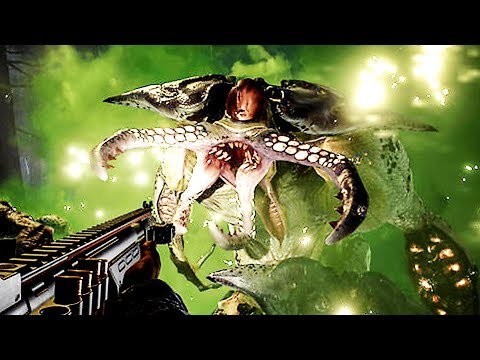
    Download AMD Radeon Software Adrenalin Edition 18.7.1 driver. This release contains support for Earthfall as well as updates to stability with new end-user issue fixes.
    Radeon Software Adrenalin Edition, designed to give gamers deeply immersive gameplay and inspired by today?s era of social, connected gaming. Should you like to share or read up on user experiences, we have an open discussion thread open on these drivers right here.

    Radeon Software Adrenalin Edition 18.7.1 Highlights
    Support For

    Earthfall?
    Up to 28% faster performance using Radeon Software Adrenalin Edition 18.7.1 on the Radeon? RX Vega 56 (8GB) graphics card than with Radeon Software Adrenalin Edition 18.6.1 at 2560x1440 (1440p).1
    Up to 22% faster performance using Radeon Software Adrenalin Edition 18.7.1 on the Radeon? RX 580 (8GB) graphics card than with Radeon Software Adrenalin Edition 18.6.1 at 2560x1440 (1440p).2
    Up to 27% faster performance using Radeon Software Adrenalin Edition 18.7.1 on the Radeon? RX 560 (4GB) graphics card than with Radeon Software Adrenalin Edition 18.6.1 at 1920x1080 (1080p).3

    Fixed Issues

    Fortnite? Season 5 may experience an application hang on some Radeon graphics products when throwing stars are visible on screen.
    Hellblade: Senua?s Sacrifice? may experience flickering or corruption on some Radeon graphics products.
    Display modes may sometimes appear as not available when setting resolution or refresh rates of a display.
    CorelDraw? may experience slower than expected performance.
    Memory clocks may remain at higher than expected values on some displays after changing resolution or refresh rates.
    Some displays may exhibit black screen flickering when booting to desktop when using DisplayPort.

    Known Issues

    Virtual Super Resolution settings may not retain after updating to this Radeon Software release.
    Wolfenstein II: The New Colossus? may experience an application crash when disabling Asynchronous Compute via game settings.
    Graphics and memory clocks may remain at higher than expected values after watching a video or using Windows DVR while in game. A workaround is to reboot the system.
    Cursor or system lag may be observed on some system configurations when two or more displays are connected and one display is powered off.
    Radeon WattMan gauges may report as zero on secondary graphics products in multi GPU enabled system configurations.
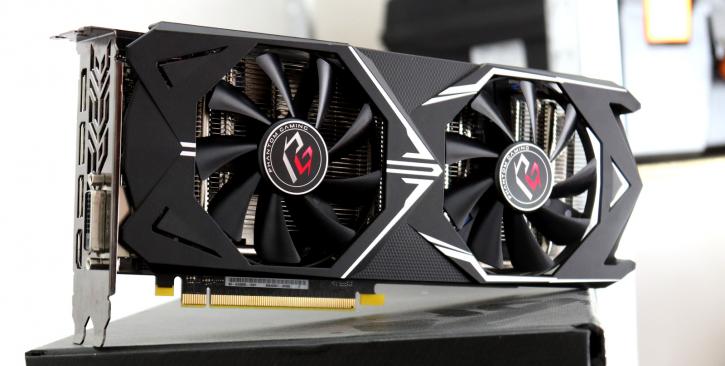

    Download AMD Radeon Software Adrenalin Edition 18.7.1 driver. This release contains support for Warhammer: Vermintide 2 as well as updates to stability with new end-user issue fixes....

  • #2
    Radeon Pro Software Adrenalin Edition 18.7.1 Release Notes
    Article Number: RN-PRO-WIN-18.7.1

    Last Updated: July 10, 2018

    Radeon? Pro graphics empower content creators and designers at many levels, from casual makers and students all the way up to seasoned professionals and Adrenalin workstation users. Radeon? Pro Software is certified in over 100 workstation applications covering the leading software professionals use, including Autodesk? AutoCAD?, Dassault Syst?mes? CATIA?, Siemens NX?, Adobe? Premiere? Pro, Avid? Media Composer?, Autodesk? Maya? and many more.

    Radeon Pro Software Adrenalin Edition 18.7.1 can be downloaded from the following links*:

    For Workstation

    Microsoft Windows? 10 (64-bit)
    Microsoft Windows? 10 (32-bit)
    Microsoft Windows? 7 (64-bit)
    Microsoft Windows? 7 (32-bit)
    Microsoft Windows? Server 2008 R2 (64-bit)

    Installing Radeon Pro Software Adrenalin Edition 18.7.1
    For detailed instructions on how to correctly uninstall or install Radeon? Pro Software, please refer to the following KB articles:

    How to Install Radeon Pro Software on a Windows Based System
    How to Uninstall Radeon Pro Software on a Windows Based System

    Radeon Pro Software Adrenalin Edition 18.7.1 Highlights

    Fixed Issues

    Radeon? Pro Overlay may not appear during clone mode with 2 displays.
    Intermittent application hangs with Petrel?.
    Minor corruption may be seen on model with change in Anti-aliasing modes with ICEM Surf?.
    CorelDRAW? may show slow performance.
    May experience crashing while disabling Adobe Immersive Environment in Adobe? Premiere? Pro.
    Shadow may display incorrectly in Autodesk? VRED? 2019 Beta.
    Hangs may be observed while running SPECviewperf? 12 on 4 VMs with VMware?.

    Known Issues

    User may encounter Radeon Software branding and red taskbar icon in professional mode when at least one Radeon Software for Radeon Pro gaming driver is installed.
    Display issues may be observed while running Nuke benchmark on AMD FirePro? W8100 and AMD FirePro? W9100.
    Intermittent display difficulties with certain models in Siemens? Femap? with Radeon? Pro WX 9100.
    User may encounter display difficulties with geometry shader in MAXON Cinema4D?.
    System may experience hangs on Windows 7 mobile platforms after driver installation with Radeon? Pro WX 7100.
    May observe inconsistent frame counter and misalignment on framelock sample on Windows? 10.
    May experience server hangs when a VM reboots or shuts down.
    Notch Application may experience a crash when using 'sliced geometry' feature.
    Display may Intermittently go blank while switching between Radeon? Software for Radeon Pro gaming drivers with "Vega"-based hardware.
    Intermittent hangs may be observed with SPECviewperf? 13 for multiple iterations with "Vega"-based hardware on Windows? 10.

    Feature Support Information

    Driver Options is available on Microsoft Windows? 10. Always update to the latest gaming drivers to mitigate driver switching issues. This is not available with multi-GPU configurations nor with Radeon? Pro Duo ("Polaris"). This is not available for mobile platforms.
    Multi-GPU Eyefinity Pro on Microsoft Windows? 10 is not currently supported on any hardware for Radeon Pro Software Adrenalin Edition 18.7.1.
    Framelock/Genlock: In multiple platform configurations where more than one S400 Sync Module is in use, 4K resolutions at 60Hz and greater are not supported.

    Comment


    • #3
      รู้สึกคิดไปเอง มันสว่างขึ้น

      Comment


      • #4
        อุปทานหมู่อีกปะ

        Comment


        • #5

          Comment


          • #6

            Comment


            • #7
              ไดรเวอร์ไม่สนับสนุน rx480

              Comment


              • #8
                rx580 ปกติดี เด๋ววัน อาทิตย์ เทส หนักๆๆ

                Comment


                • #9
                  Originally posted by eieieiei View Post
                  ไดรเวอร์ไม่สนับสนุน rx480
                  โหลดใหม่ให้ถูกตัวดูครับ

                  Comment


                  • #10
                    Originally posted by eieieiei View Post
                    ไดรเวอร์ไม่สนับสนุน rx480
                    RX 480 ลองอัพเมื่อคืน ยังไม่ระเบิด

                    Last edited by Crazy_O; 14 Jul 2018, 01:11:46.

                    Comment


                    • #11
                      18.6.1 vs 18.7.1 ตามนั้น แรงขึ้นทุกเกม 55

                      Comment


                      • #12
                        beta

                        Comment


                        • #13
                          อัพแล้วยังรู้สึกไม่ต่างกันเท่าไร

                          Comment


                          • #14
                            ต้องลบตัวเก่าออกก่อนไหมคับ

                            Comment


                            • #15


                              - - - Updated - - -

                              Comment

                              Working...
                              X