-
-
โอ้ว ของเล่นใหม่ ลองหน่อย
-
โชว์ clock cpu ได้ละ รอมานาน ขี้เกียจโหลด hwinfo มาใช้

Comment
-
ไม่ได้สนใจกราฟ แต่สนใจตัวย่อค่าหน่วย เพิ่งรู้ว่าปรับตรงนั้น
Comment
-
-
อ่าวแล้วแบบนี้ ต่อไปยังต้องพึ่ง Rivatuner อีกหรือเปล่าComment
-
-
อย่าว่างั้น-งี้ เลยนะครับ
ผมไปหาโหลดโดยตรง มาจากเว็บของ MSI เลย
มันได้ version: MSIAfterburnerSetup440Beta10
https://www.msi.com/page/afterburner
แต่ของ guru3d เป็น version: MSIAfterburnerSetup440Beta11
http://www.guru3d.com/files-get/msi-...wnload,32.html
ของ guru3d ใหม่กว่าเว็บ MSI เลยเหรอครับComment
-
^
^
มันเป็นเวอร์ชั่นทดลอง ไม่แปลกครับที่ยังไม่ขึ้นในเว็บหลักComment
-
เว็บหลักก็ Beta10 ไงครับ
ผมเลยมาถามดูComment
-
ใช้ได้ครับความเร็ว CPU ขึ้นมาแล้ว rivatuner ต้องใช้นิครับ ตอนลงมันก็บังคับลงComment
-
ผมก็ลง Beta11 และใช้งานเรียบร้อยแล้ว
เพียงแค่มาถามดูเท่านั้นครับ

Comment
-
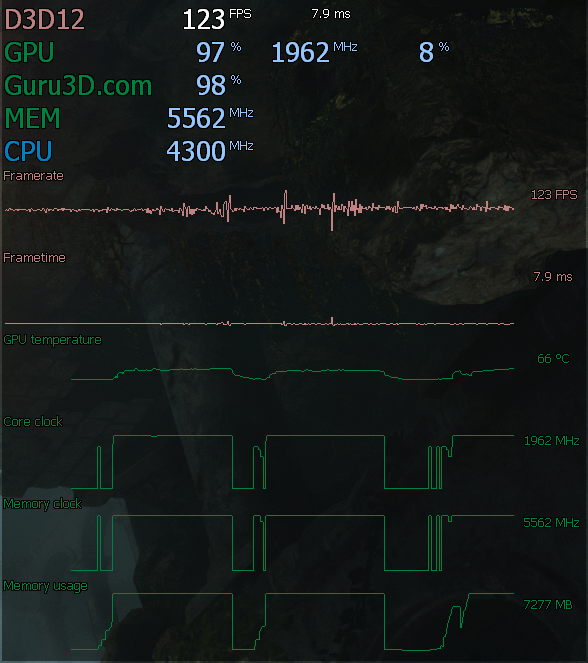
We just updated MSI Afterburner 4.4.0 to Beta build 12. This new update adds labels for OSD graphs. The new build also includes an updated RTSS Guru3D statistics server RTSS 7.0.0 beta 26.
MSI Afterburner 4.4.0 beta 12:
Added labels for OSD graphs
Changed default hardware monitoring graphs order. GPU related graphs have been reodered a bit in order to provide more convenient layout on multi-GPU systems. ?Framerate? and ?Frametime? graphs have been moved to the bottom of the list
Now you may hold <Shift> key when clicking a checkmark next to a graph name in the list of active hardware monitoring graphs to enable or disable all graphs at once
Graph colors and text size tags are now defined by OSD layout and can be customized there if necessary
RTSS 7.0.0 beta 26 is included in distributive:
New reusable Vulkan vertex buffer implementation no longer limits the On-Screen Display geometry by 16K vertices
Fixed vertex buffer overflow in Direct3D8 and Direct3D9 raster 3D On-Screen Display rendering implementations causing the text to disappear when trying to display around 700 or more characters
Please keep in mind that these are betas, and such be dealt with as such.Comment
-
มาไวจริงๆComment
-
beta 11 มีปัญหานะครับ
แนะนำให้ใช้ beta 12Comment

 Tweet
Tweet



Comment