Announcement

Collapse
No announcement yet.

380x กับจอ2k ณ เวลานี้คุ้มไหมครับ

Collapse
X
 
  • Filter
  • Time
  • Show
Clear All
new posts

  • 380x กับจอ2k ณ เวลานี้คุ้มไหมครับ

    ผมสั่ง R9 380x pcs+ 8,990฿ กับ Advice ไป เขาบอกของจะมา 18 ผมก็รอ แต่เมื่อสักครู่โทรมาแจ้งผมว่าของเลื่อนเข้าวันที่ 25 เลยให้ผมตัดสินใจใหม่ว่าจะยังไง

    ส่วนผมก็ยังลังเล ไม่รู้จะเอายังไงดีกะจะใส่รอตัวใหม่ปีนี้แต่ก็กลัว 380x เอา2k ไม่ไหว แต่ถ้าจะโดดไป 390 เลยก็เพิ่มอีกตั้ง 3500 แนะนำหน่อยครับ ควรจะเอายังไงดี?
    จอที่ใช้เป็น UP2716D 2K รอของวันที่ 24-25 เหมือนกัน
    ร้านคุณกวง Oungz

  • #2
    ผมว่าไปซื้อ Zotac gtx 970 ตัวธรรมดาหรือ Amp ก็ได้น่าจะเอาอยู่มากกว่าครับ

    ของผมก็ใช้จอ 2k เหมือนกันแต่ใช้แค่ gtx 960 amp ครับ ก็สามารถเล่นพวก dota2 อะไรได้สบาย ๆ ที่ไม่ค่อยสบายซักเท่าไหร่ก็

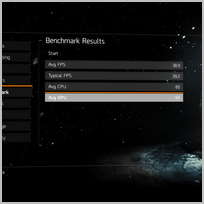
    The Division นี่แหละครับ all low ได้ fps ประมาณ 39 แต่ถ้า custom เองแบบพอดี ๆ จะได้ 35 ไม่มีเกินไปกว่านี้

    ส่วน The Witcher 3 นี่กระตุกเลยแหละครับ

    ปรับแบบ Custom


    ปรับแบบ all low

    บริการรับฝากรูป ฝากฟรีไม่มีวันลบ ฝากรูปได้ไม่จำกัด ฝากรูปเร็ว โหลดรูปแรง เรื่องฝากรูปต้อง upic.me เท่านั้น!


    Custom ผมปรับตามเขาเลย ภาพงามแท้ ๆ

    Originally posted by GreenHerb View Post
    พอดีไปเจอมาครับ

    I currently rock a ~3 year old performance card (Nvidia EVGA GTX 670 2GB). I have it overclocked via some software that makes it run equivalent to a Nvidia 960 @ 2GB, AMD R9 280/ 285.


    Graphics quality: "Custom"

    V-sync mode: "Off"
    (turn on only if you have a high end GPU. Prevents screen tearing, but requires your GPU to render multiple frames at once.)

    Frame rate limit: "60fps"
    (this is our goal frame rate. Monitors run native 60hz in the US. Anything higher isn't scene just buffered. This will prevent your GPU from wildly jumping fps triggering your GPU to cause tearing, overuse, and variable fan speeds. Use 30fps if you can not reach anything higher)

    Shadow quality: "High"
    (Shadow cast on world objects. Effects the detail of them as well as what objects will have one. Raising this setting to the Nvidia option gives more depth, but nothing worth the FPS drop)

    Shadow resolution: "High"
    (detail and definition of world shadows. Lowering looks too jaggy and moosh for the marginal FPS gain)

    Spot Shadow count: "High"
    (How many shadows that will cast on screen from NPCs and i believe the cars? Lower if you start to lose fps when several characters on screen have shadows)

    Spot shadow resolution: "High"
    (detail and definition of your NPC shadows and other players. Anything lower and your character shadow looks like smeared poop on a wall for the marginal fps boost.)

    Contact Shadows: "All Low"
    (Anything higher shows marginal gains)

    Post FX AA: "Off"
    (Don't recommend as the game does a good job already with jaggies)

    Temporal AA: "Supersampling"
    (I still need to trial/ error this setting, but this seems to give better FPS. I don't notice a difference between the two options for this category)

    Sharpen image: "30-80%"
    (This is up to personal preference. I put it low since I don't use any AA options as a trick. This is a Post FX effect and doesn't impact FPS. Helps remove Jaggies on screen if lowered)

    Particle detail: "High"
    (I compared each option to the smoke coming out of vents. Dropping below high will show some lowering of particle effects. Though, if you have issues during firefights/ walking through smoke. Drop this to low. Medium/ low show no difference in quality.)

    Enable wind-affected snow: "Yes"
    (Uses physics engine in cpu or GPU depending. I see no drop in FPS when on or off. So leave on for fideltiy)

    Volumetric fog: "Medium"
    (MAJOR FPS GAINS if set to medium. It's hard to see a difference between the highest setting with this, but CHUGS when set to max. Drop down for little fidelity loss)

    Reflection Quality: "Low"
    (Shows detail in water reflections and windows. I set this to low for the fps boost since It's not a crazy impact in quality difference unless you REALLY stare at it.)

    Local Reflection Quality: "Low"
    (Shows the reflection in puddles of objects and props/ npcs. Set it low without any crazy difference in fidelity unless you stare all day)

    Sub-surface scattering: "Yes"
    (I leave this on when I can. I don't receive an FPS Gain or drop disabling. Bounces the light off skin to make it look peachy :P)

    Anisotropic filtering: "16x"
    (I don't believe anyone should have this any lower. GPUs for years have no issues with this option maxed)

    Parallax mapping: "High"
    (I see no difference in my FPS requiring this to be off. Gives great depth to textures. Too good to sacrifice.)

    Ambient occlusion: "Low"
    (Decent FPS Gains here. NVIDIAs option does give better results, but destroys fps to where the marginal fidelity increase isn't worth it. High/ medium show zero differences to low. Turn this setting off if you have fps troubles even further)

    Depth of field: "Off"
    (I love this setting in games. Creates great depth with character interactions, but isn't worth the FPS drops . Turning this off will help raise FPS in the menus and augmented menu on your arm)

    Object detail: "65%"
    (I'm still tinkering with these settings. The sweet spot is just above 50%. I have it at 65% for a good distance ratio where you wont really see any close pop in textures/ mooshy ones.)

    Extra streaming distance: "90%"
    (FPS gains are marginal with this setting for me. So, I set it where you can see far enough to make the game have some depth and character, but doesn't lose too much. A user did point out this gave huge fps gains when dropped around 10%. So trial and error if need be.)

    Chromatic aberration: "Yes"
    (Negligible FPS gains if off. Post FX i believe. Gives you the impression you're looking through a lens from a camera giving you a "rainbow effect" around edges)

    Lens flare: "Yes"
    (Negligible FPS gains if off. Some find them annoying "JJ Abrams" though???)

    Vignette effect: "Yes"
    (Post FX. No FPS impact. Comes to personal preference)


    Let me know if you have questions, or if I'm incorrect about an option that does affect your rig more than mine. I'll correct the list as we go.
    Please post in comments if this helped your gains, and how many fps it increased!!!!
    Hope this helps someone .

    https://www.reddit.com/r/thedivision..._settings_for/

    ปล. ผมลองปรับไป 1080p แล้วแบบว่า อืมมม ปรับกลับเป็น 1440p เถอะ

    edit : spec ผม i5-4590 การ์ดจอ Zotac amp gtx 960 2 GB Ram 8 gb ครับ
    Last edited by GreenHerb; 18 Mar 2016, 16:56:00.

    Comment


    • #3
      ส่วนอันนี้ไม่แน่ใจว่าเป็นเพราะจอ 2k หรือว่า software กันแน่

      ตั้งแต่ผมใช้ 2k รู้สึกว่า Ram 8 GB แทบไม่พอใช้เลยครับ แค่เปิด chrome Ram ก็แทบจะเต็มตลอดละครับ ต้องรีเครื่องทิ้งตลอด (ทางที่ดีก็อาจจะได้อัพแรมเพิ่มเป็น 16 GB ด้วยก็ดีครับ)

      Comment


      • #4
        Originally posted by GreenHerb View Post
        ผมว่าไปซื้อ Zotac gtx 970 ตัวธรรมดาหรือ Amp ก็ได้น่าจะเอาอยู่มากกว่าครับ

        ของผมก็ใช้จอ 2k เหมือนกันแต่ใช้แค่ gtx 960 amp ครับ ก็สามารถเล่นพวก dota2 อะไรได้สบาย ๆ ที่ไม่ค่อยสบายซักเท่าไหร่ก็

        The Division นี่แหละครับ all low ได้ fps ประมาณ 39 แต่ถ้า custom เองแบบพอดี ๆ จะได้ 35 ไม่มีเกินไปกว่านี้

        ส่วน The Witcher 3 นี่กระตุกเลยแหละครับ
        จริงๆไม่อยากให้เกินงบเลยครับ ตอนแรกตั้งงบไว้แค่ 960 ประมาณ 7200 ใน Lazada แต่ผมขอโค้ดลดไม่ได้ไม่อยากยุ่งยากด้วย เลยจะซื้อตัวเดิมผ่าน Advice ประมาณ7900 แต่พอคิดอีกทีเห็น 380x เพิ่มอีกแค่พันเดียวเลยเอา แต่ถ้าให้เพิ่มไปอีก 2-3พัน นี่คงไม่ไหวครับ
        กะจะใช้แค่รอรุ่นใหม่มา แต่ถ้า 380x มันเอาเกมส์ใหม่ๆไม่อยู่จริงๆ คงต้องอัพไปแหล่ะครับ
        ผมเลยอยากได้คำแนะนำจากพี่ๆว่า380x ตอนนี้มันยังพอไหวไหม เกมส์ใหม่ๆ จอ2k พอจะปรับกลางๆแล้วเล่นลื่นๆได้ไหมครับ?
        ถ้ายังไหวยังได้ ผมก็จะไม่เปลี่ยนครับ จะได้คอนเฟิร์มว่าเอา 380x

        Comment


        • #5
          โดดไป 390 เลยครับแรมตั้ง 8GB

          Comment


          • #6
            สเปคผมตอนนี้นะครับ

            I7-6700k
            Z170
            Ram 16gb

            ถ้าใส่ 380x จะลื่นไหมครับ

            Comment


            • #7
              เอาไปดูและตัดสินใจเอาเองเลยคับ

              Comment


              • #8
                จะเล่นเกมอะไรเป็นหลักอ่ะครับ

                Comment


                • #9

                  Comment


                  • #10

                    Comment


                    • #11
                      Originally posted by GreenHerb View Post
                      จะเล่นเกมอะไรเป็นหลักอ่ะครับ
                      จริงๆผมเล่นแค่ Hon + fifa3 ซึ่งรู้ว่ามันเล่นได้สบายๆตั้งแต่การ์ดราคาถูกกว่านี้
                      แต่ผมอยากเล่น Farcry และเกมส์ใหม่ๆครับ ไม่ได้คิดว่าจะเล่นเกมส์ไรเป็นหลักเพราะยังไม่ได้ดูเกมส์ไม่รู้จักพวกเกมส์ในสตรีมหรือออฟไลน์อะไรเลยครับ

                      Comment


                      • #12
                        ขอบคุณครับ คุณ Ted.

                        Comment


                        • #13
                          สบ๊าย Hon Fifa3

                          Comment


                          • #14
                            Originally posted by Criticism View Post
                            สบ๊าย Hon Fifa3
                            อนาคตจะเล่นพวกออฟไลน์ใหม่ๆอ่ะครับ เลยไม่รู้ว่า 380x มันไหวแค่ไหน

                            Comment


                            • #15
                              Originally posted by Supxal2mz View Post
                              ผมสั่ง R9 380x pcs+ 8,990฿ กับ Advice ไป เขาบอกของจะมา 18 ผมก็รอ แต่เมื่อสักครู่โทรมาแจ้งผมว่าของเลื่อนเข้าวันที่ 25 เลยให้ผมตัดสินใจใหม่ว่าจะยังไง

                              ส่วนผมก็ยังลังเล ไม่รู้จะเอายังไงดีกะจะใส่รอตัวใหม่ปีนี้แต่ก็กลัว 380x เอา2k ไม่ไหว แต่ถ้าจะโดดไป 390 เลยก็เพิ่มอีกตั้ง 3500 แนะนำหน่อยครับ ควรจะเอายังไงดี?
                              จอที่ใช้เป็น UP2716D 2K รอของวันที่ 24-25 เหมือนกัน
                              ร้านคุณกวง Oungz
                              R9 380X เหมาะสำหรับเล่นจอ 1080p เกินนี้เล่นรุ่นอื่นดีกว่าครับ

                              Comment

                              Working...
                              X