
 Tweet
Tweet
Originally posted by Khow
View Post
-
เอา USB ทำ readyboost ช่วยได้มั้ยครับ ผมไม่แน่ใจ -
ของผมเป็นไรไม่รู้ครับ ใส่แรม16gbเปิดเครื่องติดๆดับๆ พอใส่แรมเหลือ8gbก็เล่นได้ปกติ
Comment
-
โทษนะครับ พอจะมีวิน 10 ที่อัพเดทล่าสุดแล้วให้โหลดไหมครับผม
ถ้ามีรบกวนขอลิ้งค์หน่อยครับ // หรือใครใจดีเอาลง ดรอปบล็อคหรือกลูเกิลไดร์ให้ทีครับผม
(ที่สามารถactiveได้)Comment
-
Update
Windows 10 Pro Insider Preview Build 10547
Nvidia 355.82
GTAV I3 4160 + GTX960 2GB/OC

Comment
-
Windows 10 Build 10532
Nvidia Driver 355.97(OpenGL Update,ไม่แนะนำให้ลง)
Skyforge 87 FPS
 Last edited by AKK_K; 20 Sep 2015, 14:47:29.
Comment
-
ระหว่างที่ยังไม่มีอะไรมาก กับ WIN10
จะขอแทรกเรื่องเกียวกับ Hyperthreading ไปทีละเล็กทีละน้อย ปูพื้นไปก่อน
Modern CPUs are what's called "superscalar". It's not as simple as having four CPU cores therefore able to do four things at once - each core itself consists of multiple execution units.
Some of them just do integer work - math on whole numbers and basic bitwise operations. Some do floating point work - math on fractional numbers. Some just do memory access work - copying data around. It's the job of the CPU's instruction pipeline to reorder incoming work in order to maximise the number of these units that are kept busy at any particular moment.
This is known as out of order execution, and improves instruction level parallelism. It's one of the big reasons modern CPUs are so much faster than ancient ones - it's not just having more cores or more MHz, they just plain do more with each cycle. You can be adding a bunch of numbers together, copying a bunch of data around, and multiplying groups of floating point values all at the same time.
The caveat is diminishing returns. You can't just throw 8 integer units, 8 floating point units and 8 load/store units at a core and expect it to fill them all with work - code is rarely that well distributed, it's generally heavy in one or two of them and the rest sits twiddling its thumbs. Many instructions are also dependent on the result of previous instructions, which limits how much reordering you can do.
e.g:
LOAD a, b
ADD a, b into c
LOAD d
MUL c, d into e
STORE e
You can accelerate this a bit - you can run both LOAD operations right from the start, but the ADD can't run before a and b are loaded. Similarly the MUL can't actually multiply anything until the ADD is finished and d is is loaded to the CPU. The STORE of course has to wait until the end regardless of how many concurrent STORE operations you can run each clock cycle. The more stuff you can do at a time, the further ahead you have to look and the more complex the dependencies between your instructions become.
Hyperthreading (which outside the world of Intel is known as simultaneous multithreading) lets you throw in more than one stream of instructions at a core at the same time - multiple batches of instructions you know have no dependencies between them. If one thread is mostly twiddling its thumbs because it's waiting for data from memory to load, another thread can still be executing its own stream of work using the execution units that are spare.
Whether this actually improves matters depends heavily on the code. If everything's doing more or less the same sort of operation, your multiple threads are just going to compete for the same execution units and may well end up reducing overall throughput. But, if they're doing different things, or if there are a lot of dependencies that prevent all those units being used at the same time in a single thread, you can get significantly improved throughput.Last edited by AKK_K; 20 Sep 2015, 14:54:16.Comment
-
เข้าใจ Hyperthreading เข้าใจ CPU อีกนิด
Introduction
Or: What is a CPU and why do I need it ?
The CPU, short for Central Processing Unit, can be described as the heart of any PC. Almost everything that is not directly related to graphics is done by the CPU, be it the AI and any interaction in a game, the calculations in spreadsheets, or photo altering in Lightroom.
Therefore, the CPU determines the speed of everyday activities, work, but also your frame rates in games, especially in multiplayer games and those with heavy AI and physics. And that almost independently from the graphical settings you choose.
This guide will cover an explanation on what programs have which requirements and how you can know the performance of a CPU. To keep this guide concise, some material will be omitted or simplified. This guide is meant as an overview and an explaination for some technologies like HyperThreading, not as in in absolute, in depth explaination for CPU architecture design.Comment
-
CPU design explained
How do CPUs work ?
Any program is executed by breaking it down to simple instructions/operations, that are: mathematical operations such as additions (ADD), multiplications (MUL) and so on, logical operations such as AND, OR and so on, memory read/write operations and relation operations such as is equal (==), is not equal (!=, and many more), is greater (>) and so on. Modern computing languages abstract a lot of these concepts but any machine code will only contain a "smaller" number of instructions. The set of all instruction a specific CPU can use is called Instruction set.
The actual number crunching in CPUs is done by so called Execution Units. The most important Execution Units are the ALU or Arithmetic and Logic Unit, which performs integer operations, and the FPU or Floating-Point Unit, which handles operation on floating point numers, but there may be several other Unit types that perform more specialized operations, like Load/Store units or Cryptography Units. The "magic" happens in the Execution Units, every computation the CPU makes are done here.
Additionally, there are many parts of the CPU that exist solely to feed the Execution Units with data and instructions. These parts sometimes take up large portions of the CPU die. These System include, but are not limited to parts of the CPU like Caches, which store information, both data and instructions, so that the CPU dooes not need to write and read to the RAM for everything, Branch Prediction, which predicts which operations need to be done next in advance (I dont think talking about Pipelines is important here, I am only talking about Execution units to explain CMT,SMT and IPC better anyways) decoders, which decode the instructions stored in the cache to control signals for the execution unit and the Scheduler, which tell the different Execution units which operations they need to perform. The utilization of the Execution Units depends on how good these additional parts work and is never perfect. Therefore, Cores with the same amount of Execution units might have a different performance.Comment
-
Clock speed isnt everything: IPC
One of the first things one is confrontet with if looking for a CPU is the clock speed of a Processor. Yet CPUs with higher clock speed are sometimes cheaper than the competitors offering with a slower clock or clock speed doesnt change after generations or even reduces. So whats the Issue here ?
Simply put, modern CPUs can compute several operations each cycle. This is called Instructions Per Cycle, or IPC. Each different CPU microarchitecture, from now on called ?Arch, uArch or simply Arch, has a different IPC and there the clock speed is not a good indicator when comparing CPUs from different generations and ?Arch.
How is a CPU core able to perform more than one Instruction per cycle ? Modern CPU have several Execution Units per core. This design with several execution units per core is called Superscalar. Depending on the programm running, a core might be able to do a different amount of work each cycle. The only way to compare the IPC of two different Arch is to compare benchmarks of the programm you want to run.Comment
-
Superscalar ?Archs: Does AMD have real cores and do games use Hyperthreading ?
Like explained in in Clock speed isnt everything: IPC, modern CPU have several ALUs and FPUs in each core and cores perform more than 1 IPC. A big problem is how to utilize all the executioon units to the fullest. Most units idle at least some of the time because they cant get enough informations about what to do.
To increase the utilisation of these units and therefore the performance per mm2 or transistor, the chip makers use several tricks. Simultaneous MultiThreading, or SMT, also called HyperThreading or HT by Intel and CoreMultiThreading or CMT aka the "module" are some of these.
Intels Hyperthreading doubles some of the resources in each core that is resposible to distribute the instructions to the execution units.
This allows the execution of 2 threads on a single core and increases the utilisation of the ALUs and FPUs in the core. While there are some bugs in some programs that are usually fixed quite fast, HT generally doesnt need support from the program. The performance increase still depends on the number of threads the program can efficently use though. The performance increase of an additional HT thread is not comparable to an additional CPU core, even in very good cases it will usually not exceed 20% performance increase.
CMT also doubles and shares some recources, which exactly depends on the generation of the CPU. All CMT design up to date have oone thing in common: relativly weak integer cores with a big, shared FPU "core". While technically inaccurate and not an official name, it is therefore sometimes called "FPU-SMT". However, one should not make the mistake and think that one module equals one core. In situations consumer desktops will encounter, a module behaves like 2 weak cores: low single thread performance, but decent performance if a programm uses all cores.Last edited by AKK_K; 21 Sep 2015, 08:04:59.Comment
-
คั่นรายการ
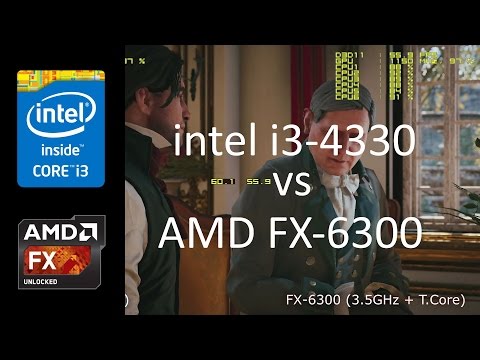
Intel core i3-4330 vs AMD FX-6300 in Assassins Creed Unity (GTX 780Ti)
1920?1080, AA Off, High, SSAO
System Specs:
Intel core i3-4330 (4M Cache, 2 core / 4 threads 3.5 GHz)
Asus H87M-Plus
AMD FX-6300 (8M Cache, 3 core / 6 threads 3.5 GHz + Turbo Core)
Asus M5A97 R2.0
Nvidia Asus GTX 780 Ti (OC: GPU 1150 MHz)
8GB ddr3 1600 MHz CL11
FPS: MSI Afterburner, RivaTunerStatistiServer
Record: AVerMedia Live Gamer HD (FHD, 20 Mbps, 30 FPS)
Comment
-
ขอบคุณมากครับสำหรับข้อมูล
Comment
-
-
ดูคลิปแล้วใครจะมาดูถูกFX-6300 อีกนี่ เทียบราคากับสิ่งที่ได้ แม้มันจะออกมานานแล้วก็เถอะ
ป.ล. กราฟเทียบfps. ทำไมต่างกันเยอะเมื่อเทียบกับคลิปเล่นจริง งง!!!Comment
-
FX-6300 ถ้า OC แล้ว จะขนาดไหนนิ
Comment


Comment